
Save time and work smarter. Whether you are using the powerful SellerAmp Chrome extension, web app, mobile app, or BQool Repricing Central, you can analyze products, set costs, minimum and maximum prices, AND establish repricing rules for your listings all in one go.
- Sync cost, min & max price, and repricing rules at the same time
- Export new listings into BQool as you source
- Access BQool from all three SellerAmp tools
- Directly access SellerAmp from BQool
- Marketplaces supported — US, UK, Canada, France, Germany, Italy and Spain


What do I need to get started with the BQool integration?
Alongside an active SAS subscription, you will need an Amazon Seller Central account and an active BQool subscription to use this integration. You can sign up for a BQool trial here.
I already have a BQool account – how do I use it with the SAS tools?
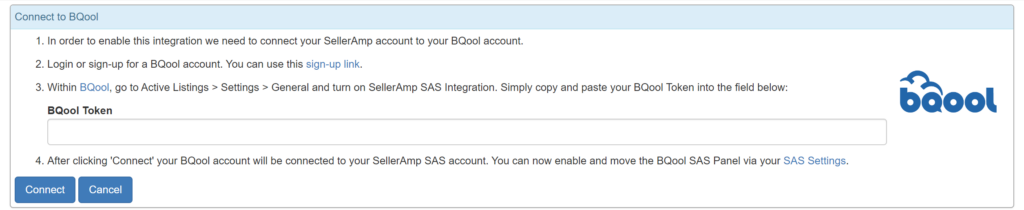
You will need to generate a token in the BQool dashboard to enable the integration – this can be done in My Account > Integrations and select Connect to BQool.
Will my existing BQool data for listings be visible in SAS?
Yes, SAS will identify existing listings processed by BQool and export new listings to BQool for processing.
Can I set repricing for BQool in the SAS application?
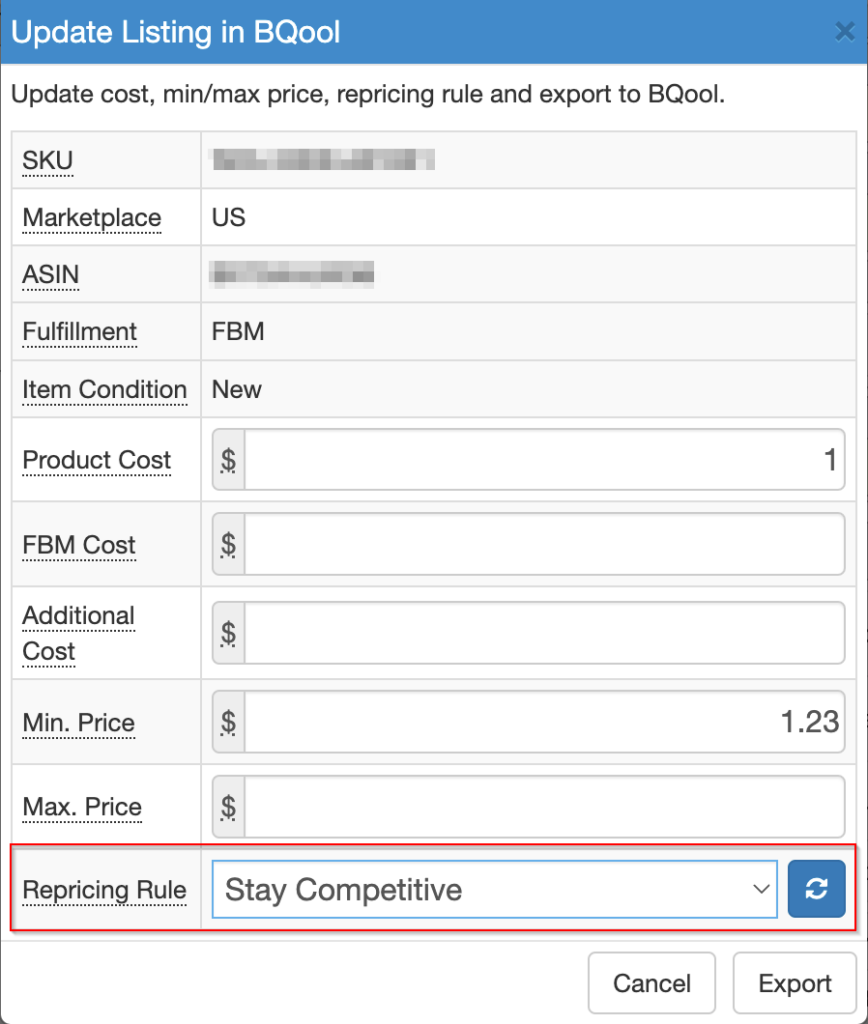
Yes, you can edit repricing values in the BQool panel and then export the new values back to BQool.

Where do the Repricing Rules come from?
These are populated by BQool and configured in BQool – the dropdown options are a combination of default rules created by BQool and any custom rules made by the user.
What do the Status fields mean?
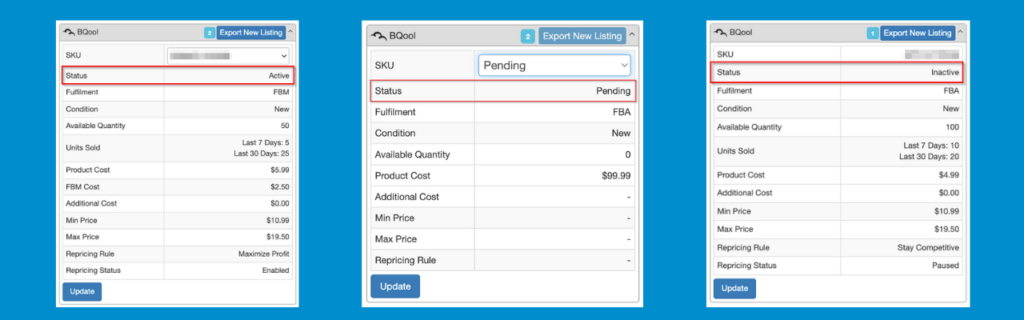
Active means the SKU exists in your Amazon stock and is ready for selling. Pending means the SKU has been created in BQool but inventory has not yet been added to Amazon. Inactive means the SKU exists in Amazon stock but is not yet ready for selling.
What does the number mean on the panel header?
This shows how many SKUs exist for this listing, and each can be viewed by clicking the SKU dropdown.
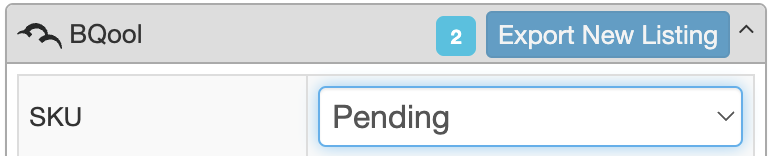
Why is the Export New Listing button greyed out?
Because there is a pending SKU – you can only have one pending SKU at a time, and can export another listing once that pending SKU has been imported into Amazon by BQool.

Why can I not update some fields in an existing listing?
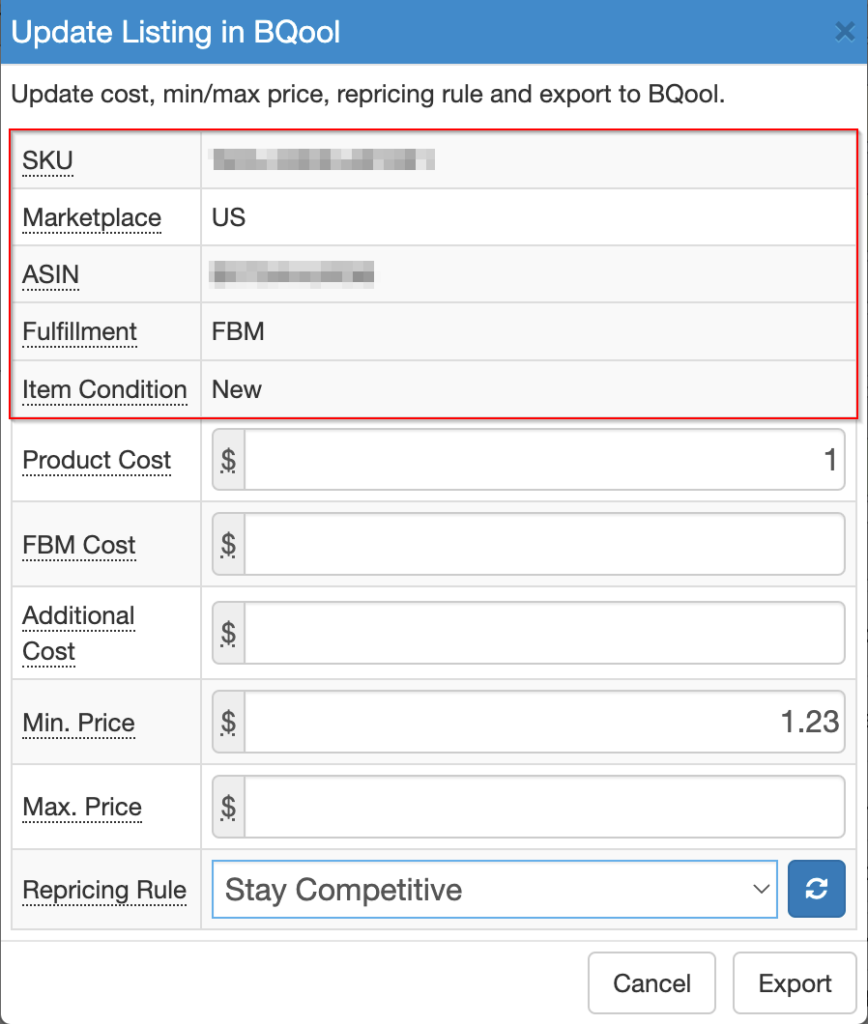
The SKU, Marketplace, ASIN, Fulfilment and Item Condition fields can only be set in a new listing; to change them, delete the existing SKU from BQool and add the listing again.
The BQool panel shows a 502 error – how do I fix this?
Go to the Integrations page in My Account to Connect to BQool, where there are instructions on generating a token.

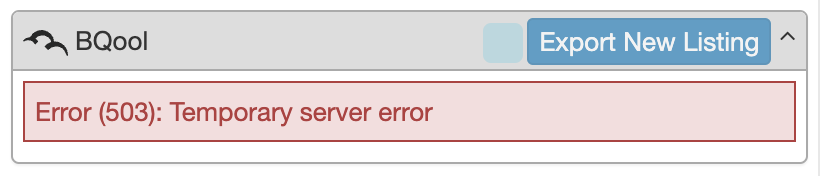
The BQool panel shows a 503 error – how do I fix this?
This shows if something is wrong on the BQool side; refresh the page and retry the listing export.
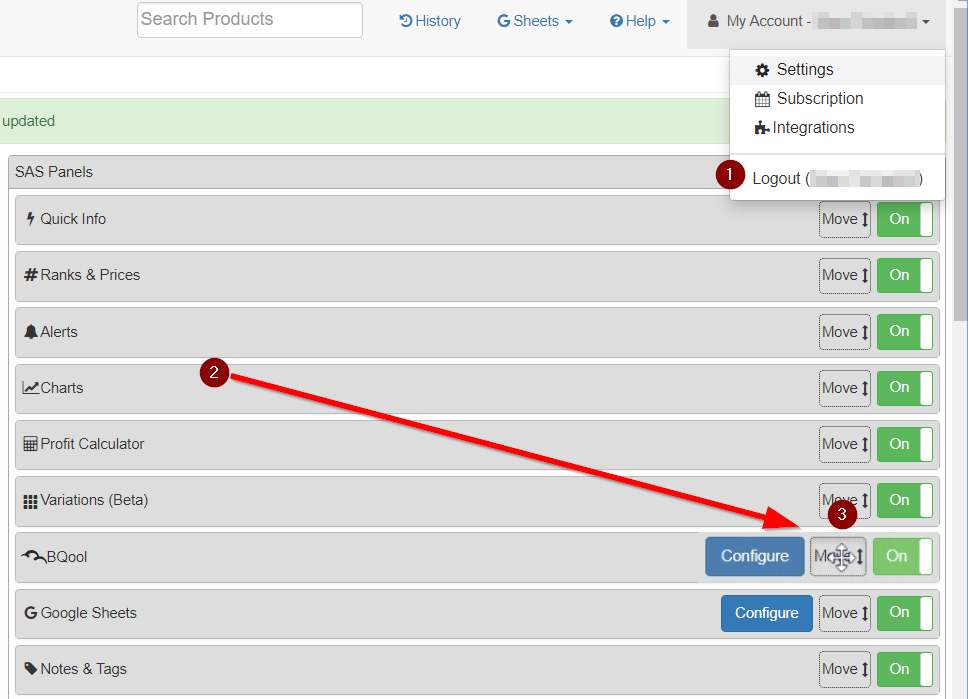
How do I move the BQool panel higher up in the SAS listing?
Configure the order of panels in Settings — click and hold Move, then drag the BQool panel further up.