Busy as usual, team SAS has worked on a number of updates to simplify your sourcing analysis. Here are a few small highlights and tips to help you effectively use SAS.
Quick access from Extension to Web App
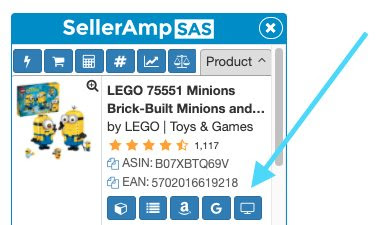
When in the extension and wanting a full screen view, just click the web app button in the Product panel to show you full web app screen analysis.
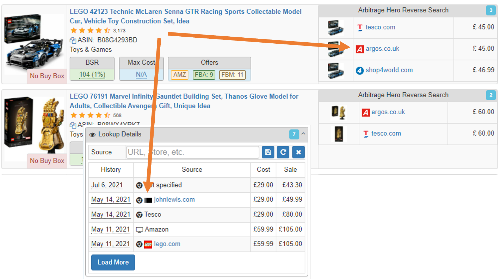
Easy-to-Spot Icons Arbitrage Hero Reverse Search and the SAS Lookup Details panel now contain icons of sites where products are found or where you found the product. Just another way to make your glances more effective and help you visualise which store you sourced a product.
Watch the SellerAmp & ArbiSource Webinar, where the team provides useful insights and ideas to help you source smarter, analyse opportunities with confidence and find
Real-time walkthrough with Flips4Miles A profitable Amazon product rarely appears because you searched a random category and got lucky. Successful online arbitrage starts with checking
Powerful Product Research, Built for Everyone We’re excited to introduce Advanced Search, the most powerful sourcing feature ever added to SellerAmp SAS. Advanced Search is