

Powerful Product Research, Built for Everyone
We’re excited to introduce Advanced Search, the most powerful sourcing feature ever added to SellerAmp SAS.
Advanced Search is a new way of sourcing with SAS – created to make sourcing easier for both new and experienced sellers. Instead of spending hours manually checking products, you can now build highly targeted searches across the Amazon catalog using over 200 searchable data points.
That means you can filter products by multiple criteria including:
- Sales Rank
- Price
- Offer Counts
- Brand
- Category
- OOS
- Seller ID
- And much, much more!
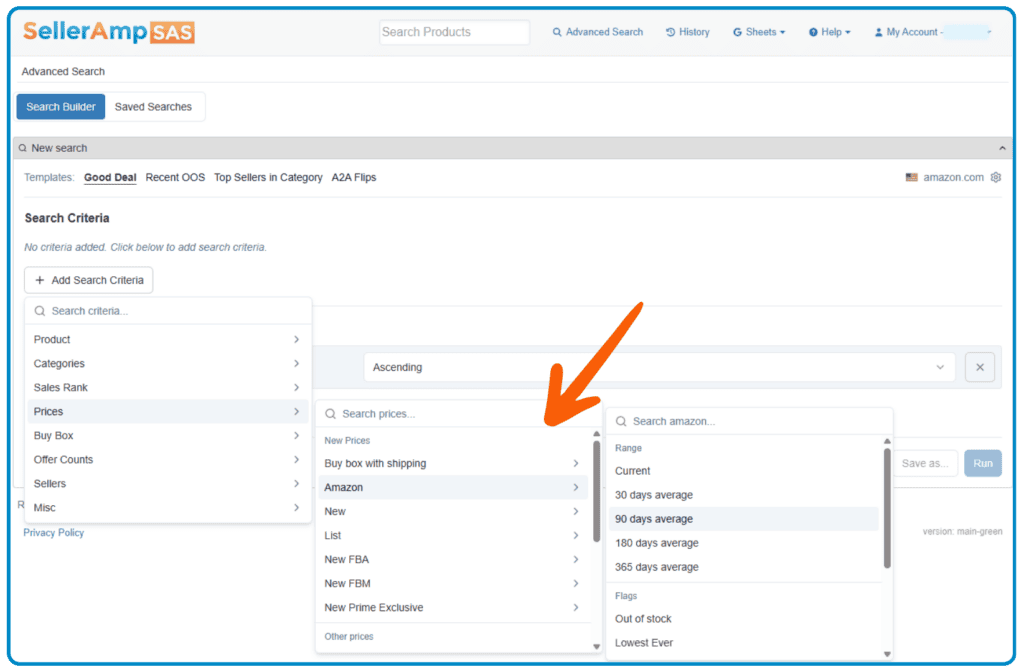
You’re no longer limited to just searching by text. Advanced Search helps you dig deeper, using over 200 different criteria, and uncover hidden opportunities that fit your exact sourcing strategy through extensive nested menus. You can even remove certain criteria (eg. brand) to avoid specific products, or plug in a Seller ID to filter their entire catalog by your criteria, perfect for monitoring top performers or vetting wholesale accounts!
Save Hours Every Week
Manual product research is time-consuming. Advanced Search streamlines the process so you can spend less time searching and more time sourcing profitable inventory. Build your search once, save it, and run it again anytime! Tweak your search parameters as needed. No rebuilding required.
There are plenty of use cases for Advanced Search; like finding replenishable products, clearance items, underpriced listings, low competition or high demand/low stock. Simply assemble and save, then run it whenever you want fresh results!
Start Fast with Ready-Made Templates
Not sure where to begin? We’ve got you!
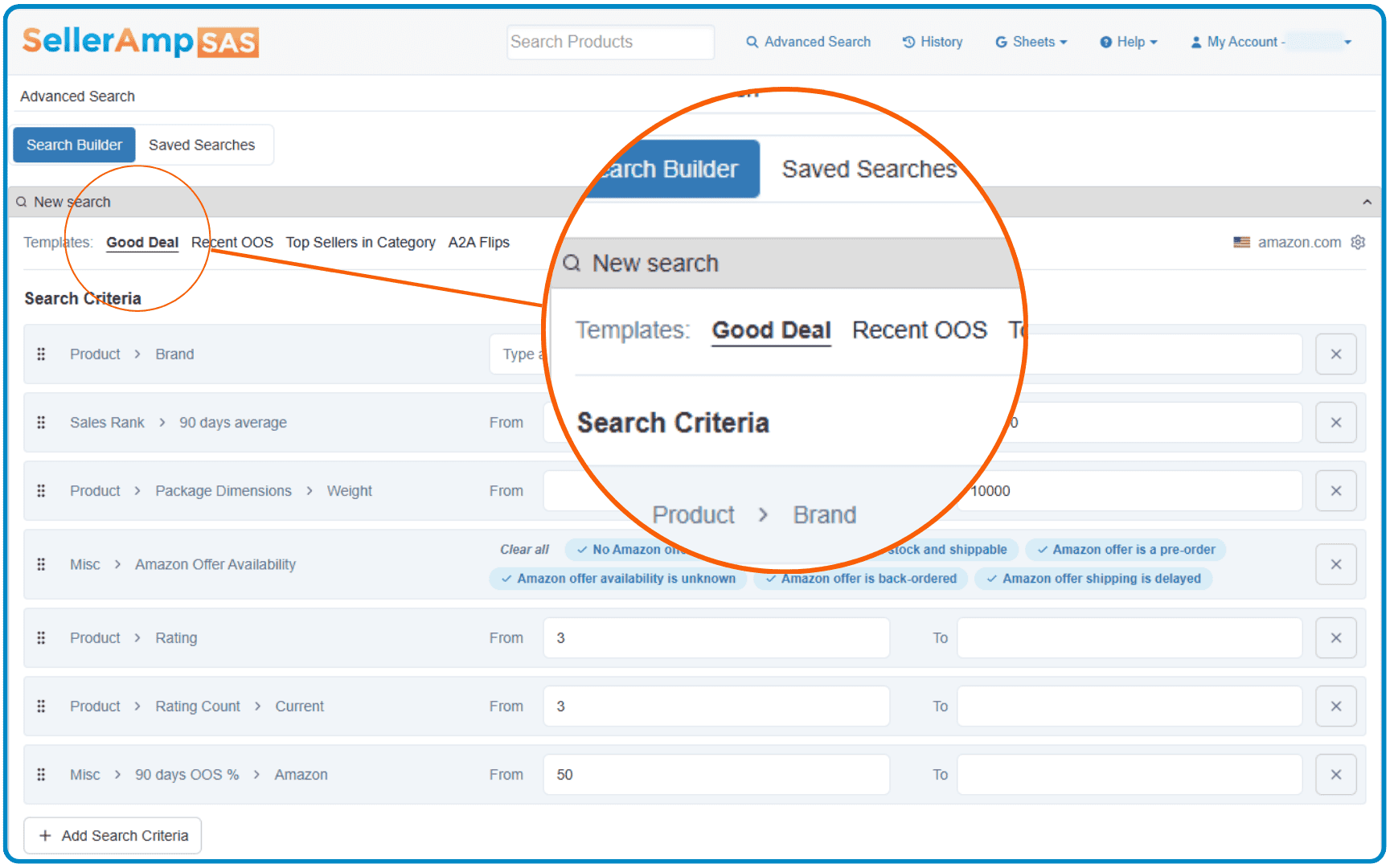
Advanced Search includes pre-configured template searches to help you get started immediately to surface strong sourcing opportunities right away. It’s the perfect way to jump in. Add more criteria to narrow your results down, then save it for future use.
Share Searches with Your Team
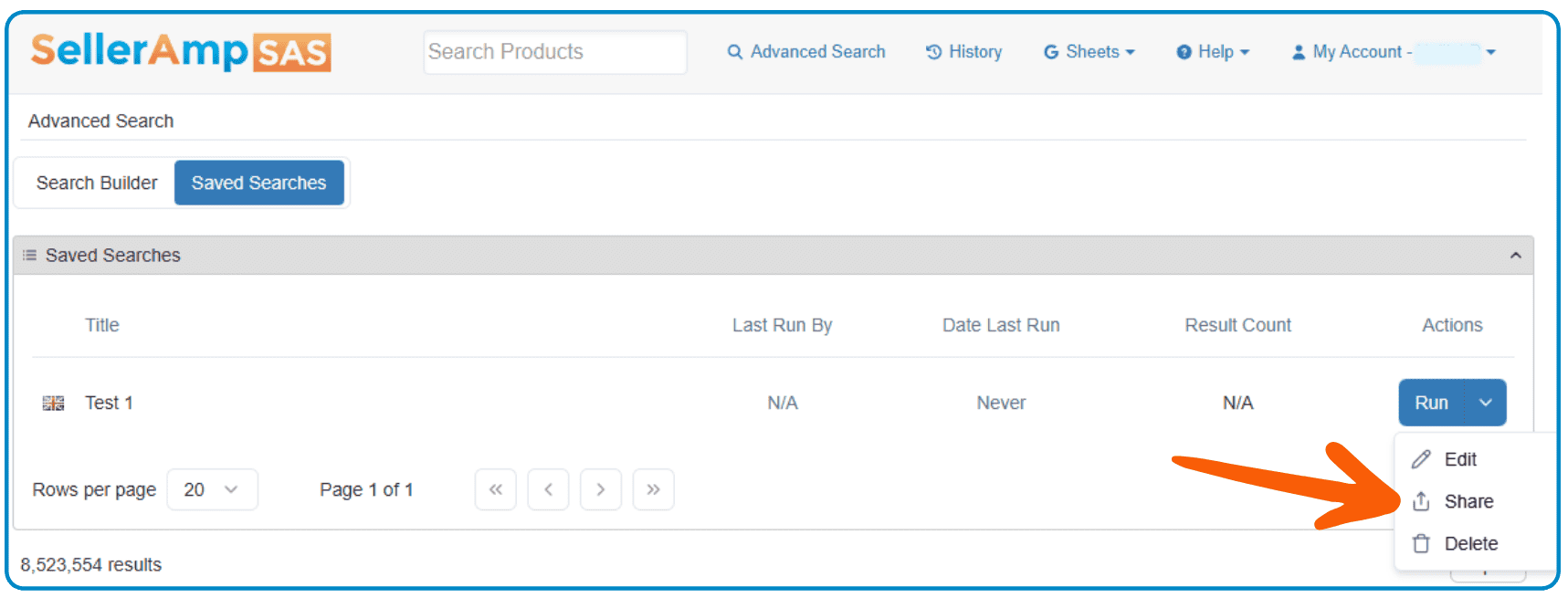
Customers on Going Pro plan can also share custom searches with other SellerAmp SAS users. When they open it, your full search criteria is instantly loaded and ready to use. Incredibly useful for:
- Virtual assistants
- Sourcing teams
- Partnerships
- Coaching groups
- Agencies
Everyone stays aligned using the exact same sourcing strategy.
Customize Your Results View
Once you have your search results, organize them as you choose:
- Classic: traditional SellerAmp Search Results listing (default)
- List view: enable one key data point per column including Image, Title, Sale Price, Max Cost, Offer count, Keepa chart and more.
- Custom view: allows you to customize data points you see on your results.

Your view works for you. So customize what you see!
Export Your Results
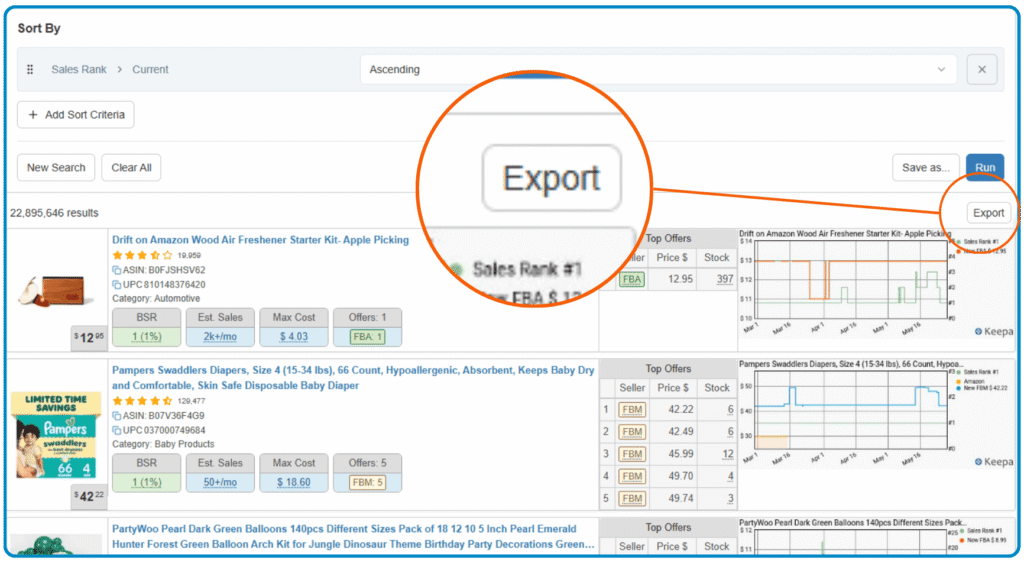
Found a list of products worth reviewing? You can export the ASINs from your search results quickly and easily. Organize sourcing lists, share opportunities with your team or build customized workflows around your product research.
Want to See It in Action?
The Advanced Search feature has hundreds of different criteria combinations available, and it might feel overwhelming at first. Check out the tutorial video below for a super thorough step-by-step guide. The video covers how to build searches, use filters effectively, save custom searches, and uncover profitable sourcing opportunities. It’s a great way to see the feature in action and start finding products even faster!
Hit the button below to trial SellerAmp SAS risk free and start exploring what Advanced Search can do for you!