

Amazon Small and Light Changes
Just received this from Amazon: Effective October 29, 2021, we have made two changes to FBA Small and Light: – To make it easier for your products to qualify for…
Just received this from Amazon: Effective October 29, 2021, we have made two changes to FBA Small and Light: – To make it easier for your products to qualify for…
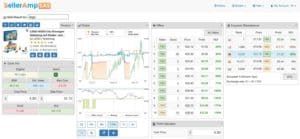
We’ve rolled out a new version that has more precise estimated sales in all SAS supported marketplaces. When changing to look at a different marketplace via the European Marketplaces panel…
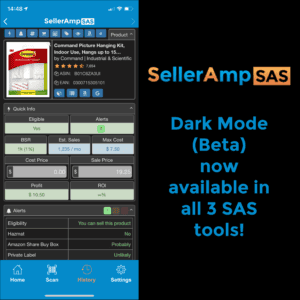
Dark mode is one of the latest and greatest features for mobile devices. Logically so as the light on dark can be more visually appealing. But there’s practical reasons too.…
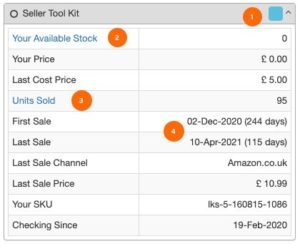
Over a year ago we introduced our integration with our partners at Seller Tool Kit (STK). We recently made some small but useful enhancements to
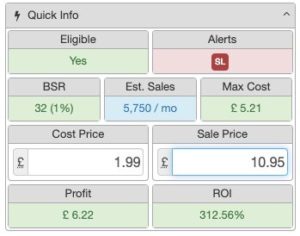
The SAS Dangerous Goods alert is back. We’ve made a modification to deal with the new way that Amazon lets you determine if a product
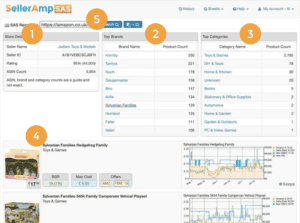
We launched Amazon storefront search a few months ago, but only mentioned it in this group (so if you missed the thread it was something of a hidden feature). Feedback…
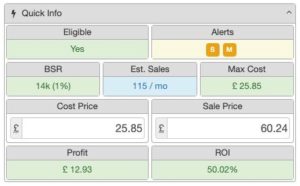
We optimized the handy Quick Info panel even more! SAS was designed to help you analyze products quickly and consistently across platforms (extension, mobile and
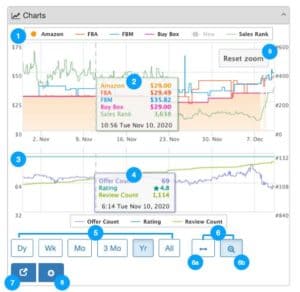
We introduced a new and improved view of historic data, that we are calling Charts. Looking at historic data when analyzing products is critical. We
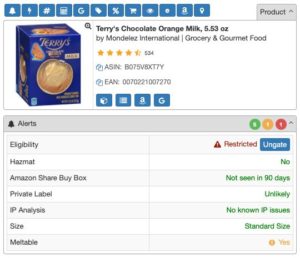
We’ve added a new alert to show if a product is classed as “Meltable”. You cannot fulfill meltable products via FBA during the warmer times